

.png)
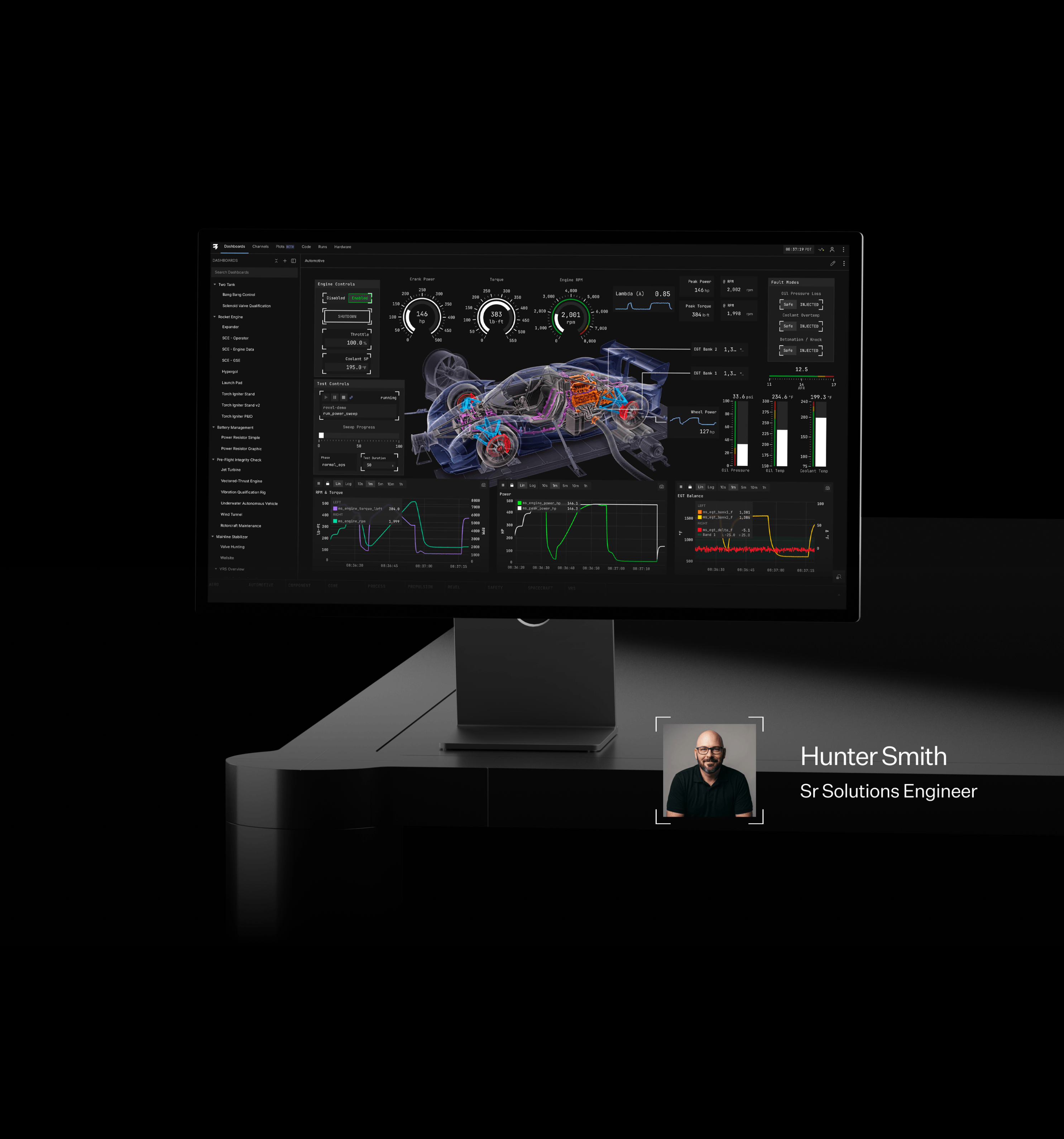
Using AI to build faster with Revel
As a solutions engineer at Revel, most of my week is spent building demos and advising customers on how to stand up test and control systems. I've been building data and control systems for twenty years, and on every platform before this one I always had so many ideas for tools and demos worth building and only time to build one, this is because the brute-force work of writing a simulated device or laying out a custom UI would eat an entire week. But with Revel and an AI agent, all of my ideas get built, and I usually end up building three or four more I thought up along the way. It feels like a superpower. None of it comes from a special integration. It comes from the way Revel is structured, and anyone running Revel can do the same thing. Here is how I use it to build real systems, fast.
How Revel works with AI: everything is text-backed
Hardware configuration is YAML. Dashboards are JSON. Automation logic is RevelCode, a plain-text language built to be read by the people who operate the system. When all the user configs flatten to simple human-readable text files, it means you can use any model to read or write changes, and still be able to diff and review every change line by line.
To make that even easier, I've written three Claude skills: one for RevelCode, one for dashboards, and one for telemetry. A skill is just a folder of instructions the model reads before it starts, and mine aren't complicated. The RevelCode skill points the model at the language docs that ship with the product, the syntax guide, the execution model, and the examples, plus a short list of questions to ask me before it writes anything. The dashboard skill is bigger, because it has to know the component catalog, how to validate each node it places, and my conventions for P&IDs, gauges, and plots. The telemetry skill knows the two HTTP APIs for live and logged data, so the model can read the results of its own changes. I use Claude, but any hosted or local model works the same way.
The point isn't my AI skills. It's that Revel is text-backed, so you can write your own skills with your own rules in them. You might write a skill that knows your dashboard standard: which color each fluid gets, which readouts every stand view has to have, and what an operator is allowed to command from a screen. Or a skill that adds safeguards whenever someone is working on a certain kind of logic: for example, if a sequence commands a heater, the model has to declare an overtemperature alert and an abort path that de-energizes it before handing the code back. Your standards go in as plain English and come out as functional, easy to read automation logic, and schematic dashboards.
1. Describe the test, get the RevelCode
This is the one I use most. I can describe what I want in plain language and the RevelCode skill will write it.
Write a leak-decay test for the pressure chamber. Pressurize to 150 psi, isolate, and hold for five minutes. Pass if the pressure drops less than 2 psi. Abort and open the vent if the chamber passes 165 psi at any point.
It returns complete automation logic: the channels, the constants, the alert, the check, and the sequence that runs the test. It reads close to the request. When the code says wait until |chamber_psi| >= 150.0, the engineer who owns the chamber can review it next to me without a translator.
The skill can work from any source of truth. Feed it a screenshot of a requirements matrix, a spreadsheet auto-sequence, or a process diagram screenshot and ask for the RevelCode version. As with all generated code, I recommend you review it line by line, but RevelCode is easy to pick up, and uses an incredibly rigorous compiler that is guaranteed not to crash at runtime, so anyone who understands what the system should do can verify the code is correct. This process empowers experts to get well-structured, easy-to-understand process logic up and running in minutes.
2. Write the simulated hardware, too
Half the time I don't have the hardware when writing demos. It's still being built, or it's a boiling water reactor and I'd rather not learn on the real one, or I just want to make a software-only demo to show something specific. So I can ask AI for the device and sensors as well.
Write a simulated pressure chamber that declares the same channels as the real transducers and valves. Model the fill rate through the regulator, add transducer noise, and leak down at 0.1 psi per minute when the chamber is isolated.
A simulation in Revel is just more RevelCode: software channels and a few loops of algebra relating inputs to outputs. The test logic can't tell the difference, because it only sees channel names. When the hardware shows up, I swap the simulated channel declarations for the real ones and the logic runs unchanged.
The RevelCode skill also writes unit tests. Revel ships with a Python package that compiles and steps a RevelCode program cycle by cycle with no Runtime attached, so I can set an input, run ten cycles, and assert on the output in pytest. Generated logic gets tested against a generated device before it goes anywhere near a valve. Now I can make a regression testing CI/CD workflow that can run anytime someone commits a change.
3. Screenshot the P&ID, get the dashboard
A Revel dashboard is JSON. Every node has its coordinates, colors, properties, and the channel it's bound to, in a schema the model can read. Since AI can generate the JSON schema, a P&ID screenshot, or a photo of the old GUI, is enough to get most of the way there. On a recent call, an engineer shared his screen and showed us the operator GUI he'd built for his stand using a legacy tool. It had taken him about a week, and he was the first to say it wasn't very legible. I snagged a screenshot from the video call and five minutes later, I showed him a first-pass set of dashboards that captured the critical pieces: the actuators, the interlocks, and the release sequence. He was very excited to start using Revel for his upcoming test campaign. With the dashboard skill, you can always have the exact view you want, and you don't have to set aside a week to do that upgrade you've been meaning to add. You can even have it audit your dashboard against the latest P&ID as it gets updated, and have an easy workflow to always stay in sync.
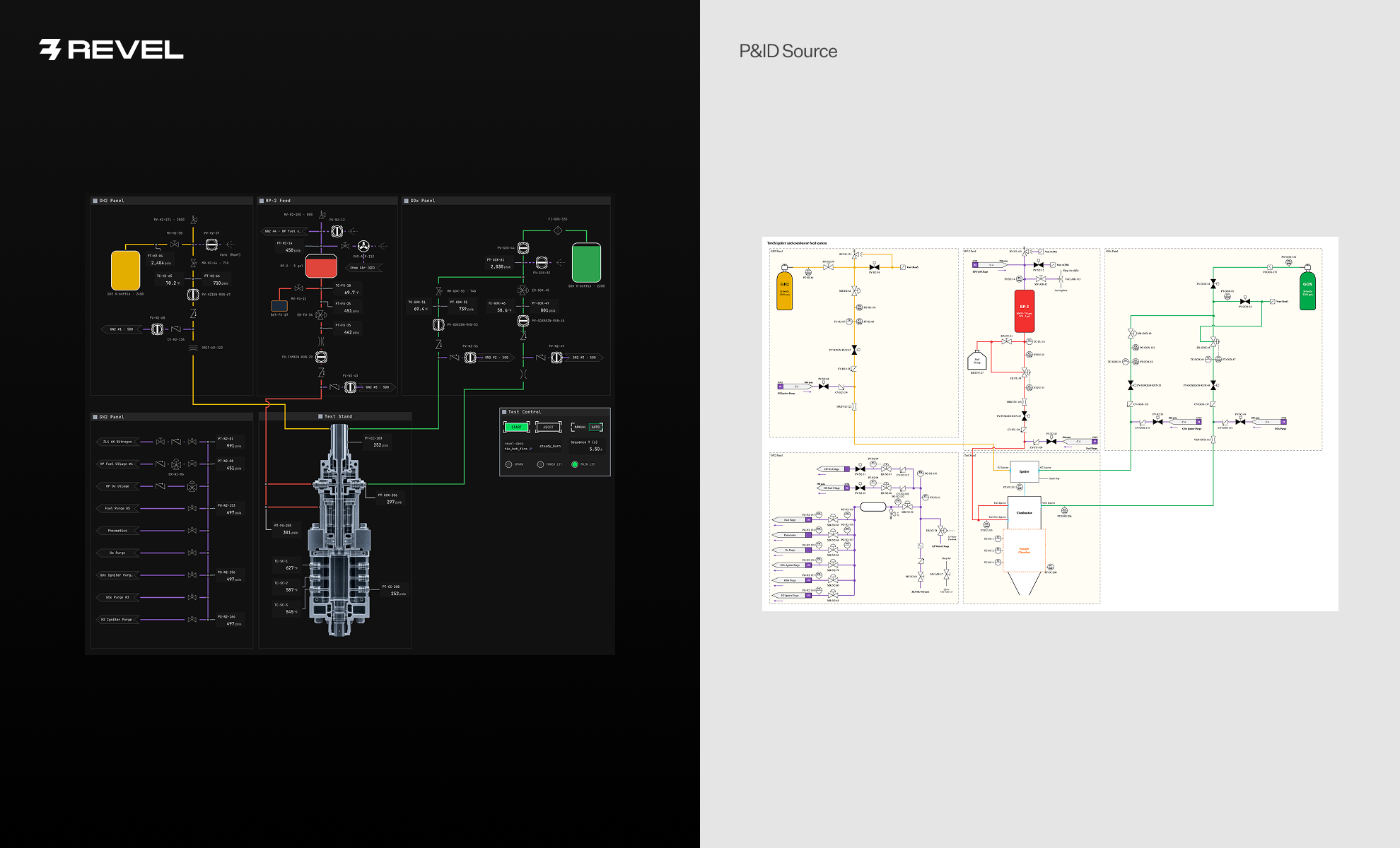
The workflow that works for me is first pass and last pass by the robot, middle pass by a human. The skill drops in the nodes and binds them. I drag things roughly where I want them in the Console. Then I hand it back:
Align the six plots on a grid, make the spacing even, and use the same color palette for each channel across every plot.
Put a blue border on every liquid oxygen pressure readout and a green border on every nitrogen readout.
Make sure all recently added thermocouples are shown in the temperature grid dashboard.
Pixel alignment across forty nodes is tedious with a mouse and nearly impossible by hand in a text file. The model keeps every coordinate in its head. It also scales: a site with fifty near-identical dashboards used to mean a week of creating templating scripts, and now it's one request.
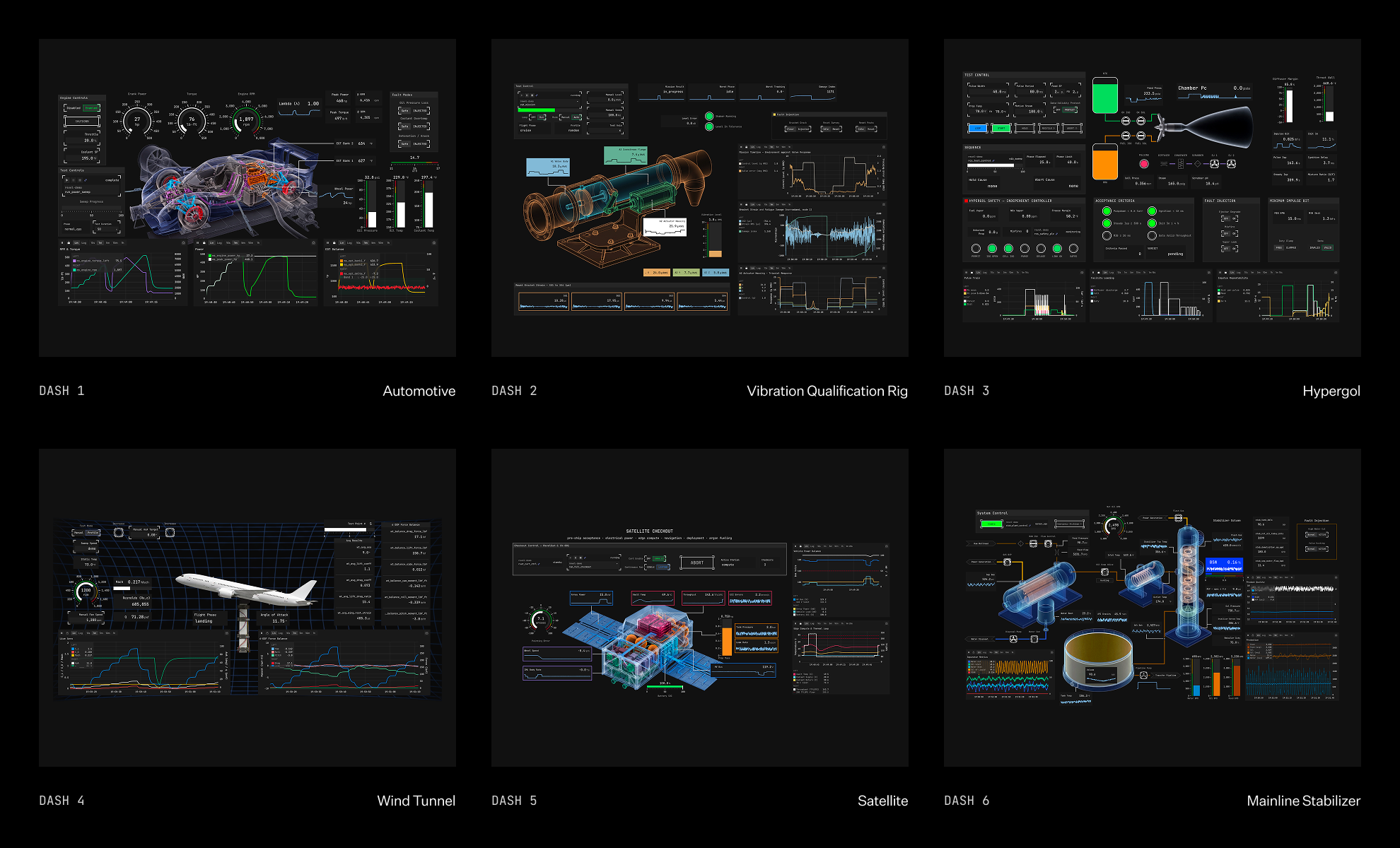
Here is a small sampling of some of the demos I’ve been able to make with Revel and AI, all complete with real code, simulated devices, and interactive dashboards.
4. Don't want the AI writing your code? Have it review instead
Plenty of our customers don't want generated code on their system, and I get it. One told me he needs to write every line himself, because even a thorough review of someone else's code doesn't give you the first-principles understanding you get from writing it. That's a reasonable position for safety-critical work.
He was happy to let the robot review his code, though. Here’s how I’d use the same RevelCode skill, pointed the other way:
Did I add a temperature alert for every thermocouple in the hardware config?
Review this state machine. Does every abort path close the valves that were opened earlier in the sequence?
Where's the line that sets the three-second wait before ignition? Change it to four. Is there any logic that would be impacted by this change?
It reads the YAML, the JSON, and the RevelCode together, so it can answer questions that cross the three. The recommendations come back as text, and nothing changes on the hardware until that human says so.
5. Close the loop with the data
A test system exists to produce data, so the final skill reads it right from the system. Revel has a REST API for full-rate logged data, and the telemetry skill knows how to use it.
My usual loop is to deploy the simulated device and the logic, let it run for a couple of minutes, then ask AI to evaluate.
Pull the last two minutes of data. Check that the transducer noise matches the spec in the device file, that each valve responds within one cycle of its command, and that the chamber reaches 150 psi in a realistic timespan.
It comes back with what it found, and if something's off, it fixes the code or the dashboard and we go again. The model isn't guessing whether its work is right. It's checking against the same data I would check against.
Why not just vibe code the whole thing?
Fair question. If the model can write RevelCode, why not have it write the whole test platform in Python?
Because then the only person who can properly review generated python is a software engineer. A vibe-coded platform is thousands of lines of scheduling, threading, driver code, and data handling, and the propulsion engineer who knows what the valve needs to do doesn't need a side gig learning Python that has little to do with their device under test. With Revel, you only have to write the part that’s specific to your stand: channels, constants, alerts, sequences, state machines. Perhaps most importantly, RevelCode is also runtime safe, meaning if it compiles it cannot crash. Python does not have this guarantee and the code crashing midway through a test is the worst thing that could happen. AI is extremely well-suited to accelerate that whole process. The resulting few hundred lines read like English, and the domain expert can review it directly.
Everything underneath is handled by a platform that was built and verified by people who have spent their careers supporting test stands: deterministic cycle timing, drivers for the hardware you already own, telemetry, logging, commanding, and a compiler that won't build a program that can crash, all verified by a robust hardware-in-the-loop validation system that checks every release. The model is stochastic. What it produces here is deterministic, reviewable, and runs the same way every time.
So you get the best of both worlds: AI stands on the shoulders of a software platform that already works, and you move fast without giving up the ability to read what you're running.
The rules I follow
Ready to use your favorite AI tool to move even faster with Revel? Here are a few suggestions to keep in mind.
- Review every generated line before it touches hardware. Generated code isn't perfect, and on a safety-critical stand a human expert signs off on it. I'm not trusting my hardware to the vibes.
- Run it against a simulated device first. Then unit test it. Then let it near the real thing.
- Keep the AI off the box. There is no model currently on the Revel Box and nothing in the control loop. The AI works on the files, through your git repo, and your system stays on its own closed network.
- Use whatever model you're allowed to use. I mostly use Claude. A customer in a secure facility can use an on-site ChatGPT or a model trained on their own procedures. The files don't care.
We're just getting started with this. At Revel we move fast, the product keeps getting better and AI helps me make use of every new feature as it lands. Bring your own hardware, your own AI tool, and your own requirements, and you’ll be surprised to see how far you get in an afternoon. Request a demo to try it on your stand.